
Adding team members and setting their roles
Team is your personal roster of collaborators — an assistant, a team lead, a transaction coordinator, a broker, or a co-operating buyer's agent — so you can label who does what without re-typing their contact details on every transaction. This article covers how to add, re-role, and remove team members, and what a role does (and doesn't) do today.
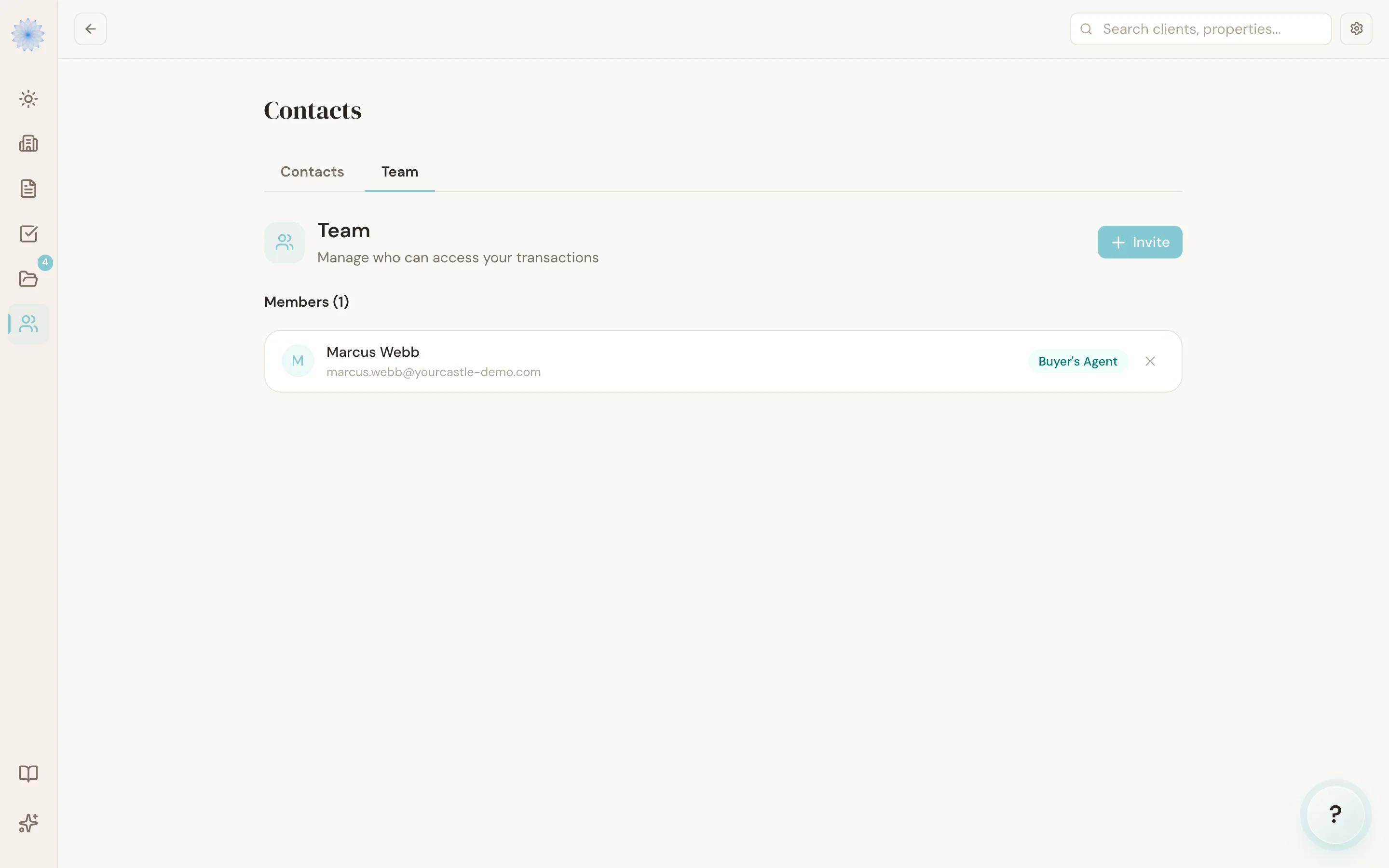
Finding Team
Team management lives on the Contacts page — open Contacts from the sidebar, then click the Team tab.
Adding a team member
- Click Invite.
- Enter the person's email address. They must already have their own Done-Deal account — you can't add someone by email if they've never signed up.
- Choose a role: Assistant, Team Lead, TC, Broker, or Buyer's Agent.
- Click Add to Team.
Note: "Invite" adds an existing Done-Deal user to your team immediately — it doesn't send them a signup link. If the email doesn't match an existing account, Done-Deal tells you they need a Done-Deal account first.
Changing a role or removing someone
Each team member's role appears as a colored badge. Click the badge to change their role from the same five options. To remove someone entirely, click the trash icon next to their name and click Confirm.
What each role means
| Role | Label |
|---|---|
assistant | Assistant |
team_lead | Team Lead |
tc | TC |
broker | Broker |
buyer_agent | Buyer's Agent |
Note: Today, a Team role is a label, not a permission. Adding someone to your team and picking a role does not, by itself, give them access to your transactions inside Done-Deal — it's a way to keep your roster organized and identify who's who. Don't rely on it to restrict what a collaborator can see.
The Broker role here is also separate from an agent's own broker-admin access to the broker dashboard — that access is set on the person's own account, not by adding them to your team with the Broker label.
FAQ
Does adding a team member cost anything extra?
Team membership itself isn't a billed seat in the app — see Plans and pricing for what's included in your plan.
Can I add someone who doesn't have a Done-Deal account yet?
Not directly through Team. They need to create their own Done-Deal account first — then you can add them by email.
Is this the same as hiring an outside TC through the marketplace?
No. Team is a roster of people you already work with — it doesn't involve a rate, a request/accept step, or a review history. Hiring an independent TC for a specific transaction is a separate, paid flow — see The TC marketplace.
What happened to the standalone Team page?
Team management now lives inside Contacts. Any old link to a /team page
redirects you to the Team tab automatically.
Related articles
Still stuck?
Email support@done-deal.co and a real person will get back to you — usually the same business day.