
Account settings and security
Your name, license number, and login are managed from Settings, reached from the app menu. This article covers the Profile, Connections, and Account tabs — for switching from CTM, see Switching from CTM eContracts; for billing, see Managing your subscription.
Updating your profile
Open Settings and stay on the Profile tab (the default). These fields populate the broker/agent contact fields on every CREC contract you fill out, so it's worth keeping them current:
- Name and display name
- Office and mobile phone numbers
- License number and MLS ID
- Office address
- Update the fields you need to change.
- Click Save Profile.
Your brokerage name and brokerage license number are shown for reference but aren't editable here — a broker or admin manages those.
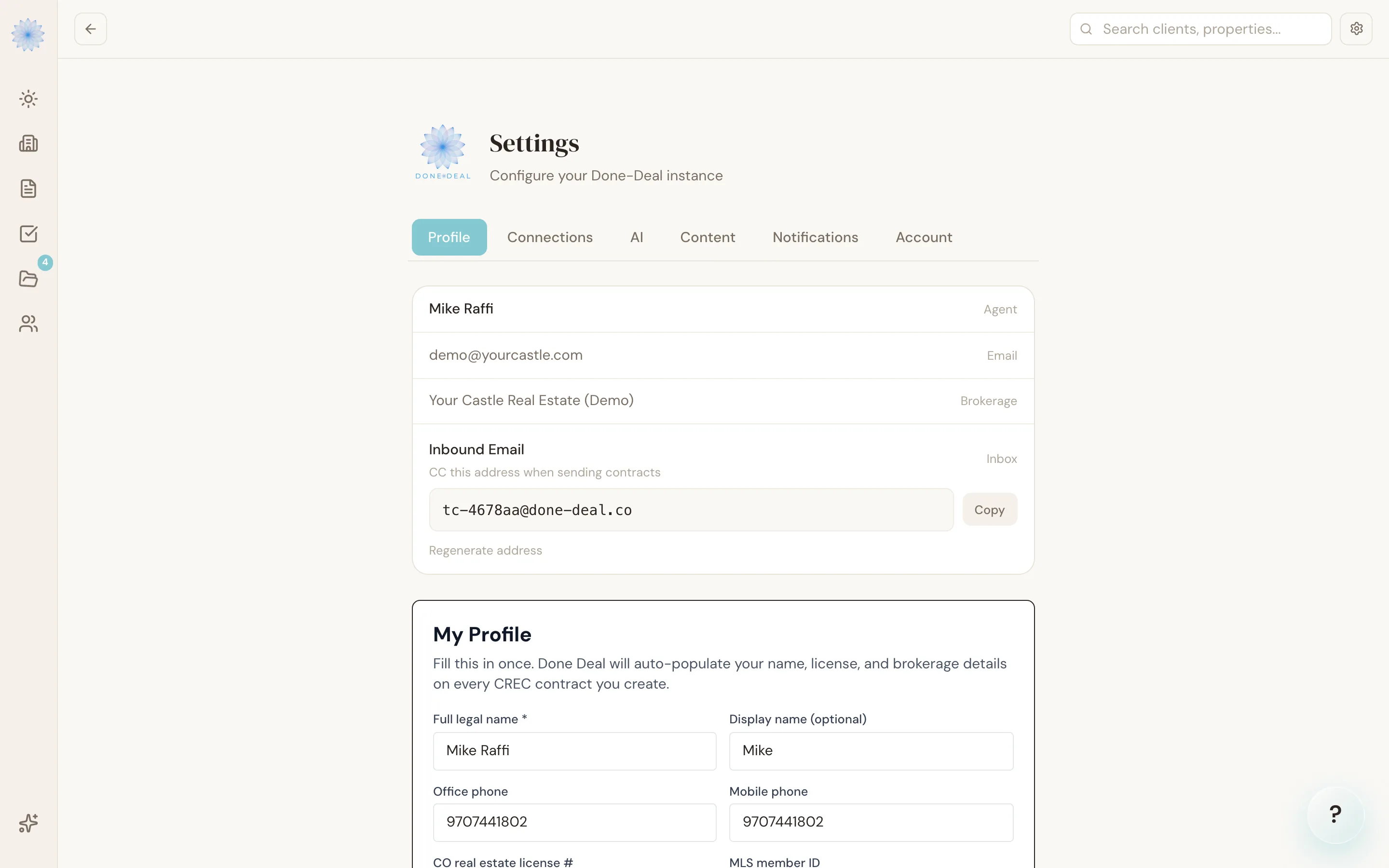
Your login email
Your account email is shown read-only under Account at the bottom of the Profile tab — there's no self-serve way to change it in the app today. Email support@done-deal.co if you need your login email updated.
Resetting your password
There's no change-password control inside Settings. To set a new password:
- Sign out, or go to the login page.
- Click Forgot password?.
- Enter your account email. If an account exists for that address, you'll get a reset link by email.
- Follow the link and set a new password.
Note: Done-Deal doesn't currently use two-factor authentication (2FA) for agent sign-in. The one-time codes you may see elsewhere in the app (for example, verifying a client's identity before they sign a document) are a separate feature and don't apply to your own login.
Connections
The Connections tab shows what's linked to your account: your email provider (Outlook or Gmail — required to receive transaction email), Google Calendar, and DocuSign. See Connect your email for setup steps.
Account tab
The Account tab is a read-only summary of your plan status (Forms & Contracts, and the AI TC add-on if active) and the Colorado compliance tools running on your account. To change your plan, click Upgrade here or go to Billing — see Managing your subscription.
FAQ
Can I change my email address myself?
Not yet — it's read-only in Settings. Contact support@done-deal.co.
Does Done-Deal support two-factor authentication for agents?
Not at this time. Sign-in is email and password, with password reset by email link.
I didn't get my password reset email — what now?
Check your spam folder first. If it still doesn't arrive, contact support@done-deal.co.
Who can edit my brokerage name or brokerage license number?
Only a broker or admin on your account — those fields are shown read-only on your own Profile tab.
Related articles
Still stuck?
Email support@done-deal.co and a real person will get back to you — usually the same business day.