
Managing brokerage resources and templates
Brokers and admins can upload reference documents for Reme to draw on, and publish form templates and clauses that every agent at the brokerage can use. Both pages are under the Settings menu in the top bar.
Brokerage resources
Open the Settings menu and click Brokerage Resources (or Manage resources from the broker dashboard) to reach /broker/resources.
Note: Uploading a resource is limited to the Broker or Admin role. Agents can't upload here, but every agent at the brokerage benefits from what you upload — Reme uses these documents to answer their questions.
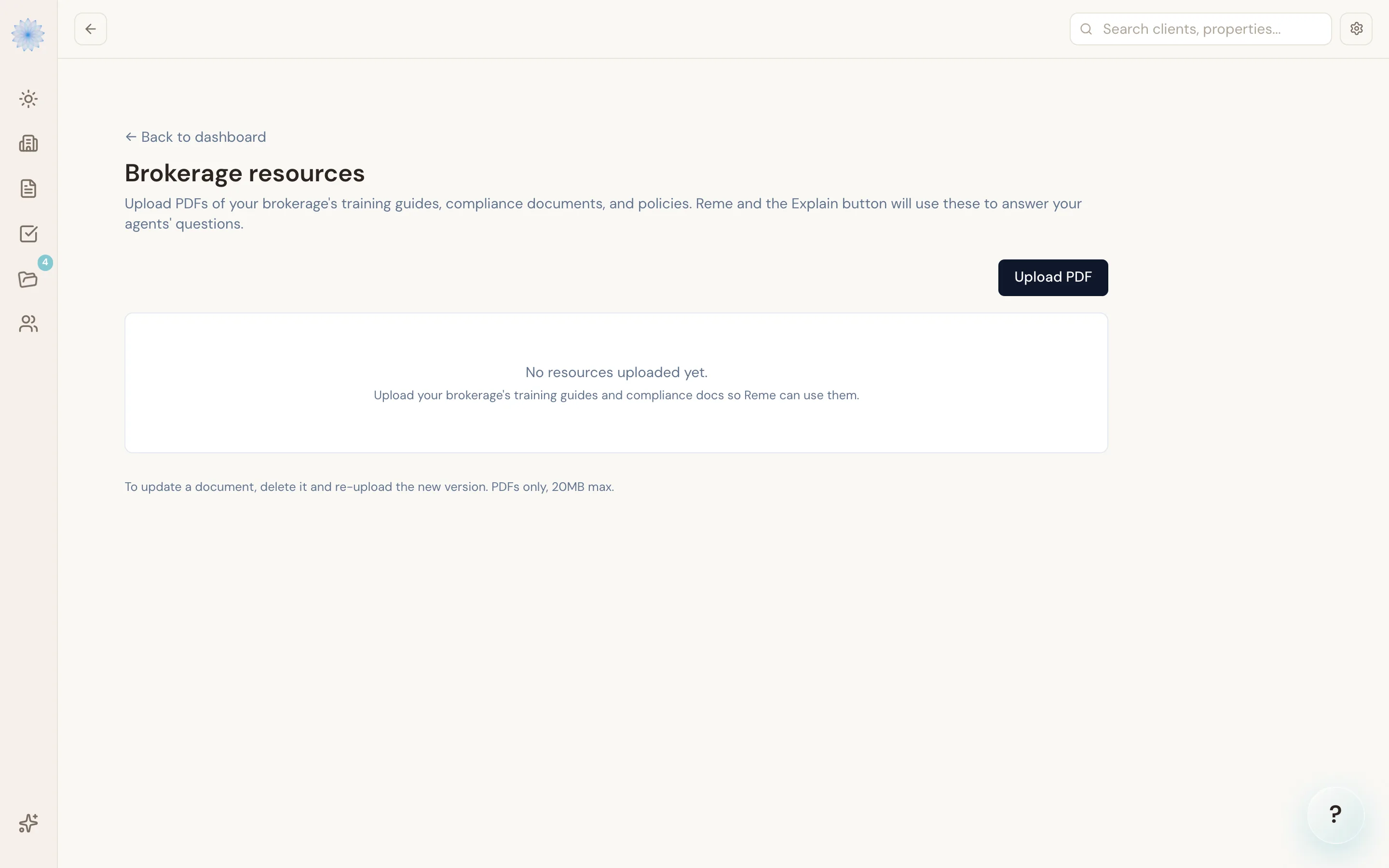
Uploading a resource
- Click Upload PDF.
- Choose the file and give it a display name.
- Confirm the upload.
Each file must be a PDF, 20 MB or smaller. After upload, the resource shows a Processing status while Done-Deal extracts its text — this typically takes 10–30 seconds. Once text extraction finishes, status changes to Ready and Reme can use it. If extraction fails, status shows Error; delete the file and re-upload to retry.
Replacing or deleting a resource
- To replace a file, click the resource's Replace action. The resource goes offline until the new file finishes re-extraction.
- To remove a file entirely, click Delete. Once deleted, agents no longer see it referenced in Reme's answers.
Warning: Deleting a resource is immediate and can't be undone. If you're not sure, replace it instead of deleting it.
Brokerage templates
Open the Settings menu and click Brokerage Templates to reach /broker/templates. This page has two sections:
Published Brokerage Templates
Templates already promoted to the whole brokerage. Every agent sees these when filling out a form. Each row shows the form code, name, whether it's required, which transaction type it applies to (buyer, seller, or both), and its status (Active or Deprecated).
- Click Deprecate to retire a brokerage template. Agents stop seeing it once deprecated; this can't be undone from this page.
Agent Templates
Templates that individual agents at your brokerage created for their own use. As a broker, you can review these and click Publish to promote one to a brokerage-wide template — Done-Deal asks you to confirm the form code and name before publishing.
Note: Publishing a template makes it visible to every agent at the brokerage going forward. It doesn't change anything on transactions that already used the agent's original personal version.
Related: the clauses library
Brokers can also save shared clauses for the brokerage's contract editor — see The clauses library for how agents insert clauses, and note that only the Broker or Admin role can save a clause as brokerage-wide rather than personal.
FAQ
Who can see a brokerage resource once I upload it?
Every agent at your brokerage. Resources aren't per-team or per-office — they apply brokerage-wide.
What happens to a template after I deprecate it?
Agents no longer see it in their form picker. Existing transactions that already used it are unaffected.
Can an agent un-publish their own template after I've promoted it?
No — once you publish an agent's template as a brokerage template, only the Broker or Admin role can deprecate it from the Brokerage Templates page.
Is there a limit on how many resources I can upload?
The app doesn't enforce a count limit; the per-file limit is 20 MB and PDF-only.
Related articles
Still stuck?
Email support@done-deal.co and a real person will get back to you — usually the same business day.