
Connecting and using DocuSign
If your brokerage or clients already work in DocuSign, you can connect your DocuSign account to Done-Deal and send documents through it instead of Done-Deal's built-in signing. This article covers what's available today: sending an uploaded transaction document for signature through DocuSign, and seeing its status come back automatically.
Note: DocuSign is a separate option from built-in e-signature — see Sending a contract for signature for Done-Deal's own signing flow, which doesn't require a DocuSign account.
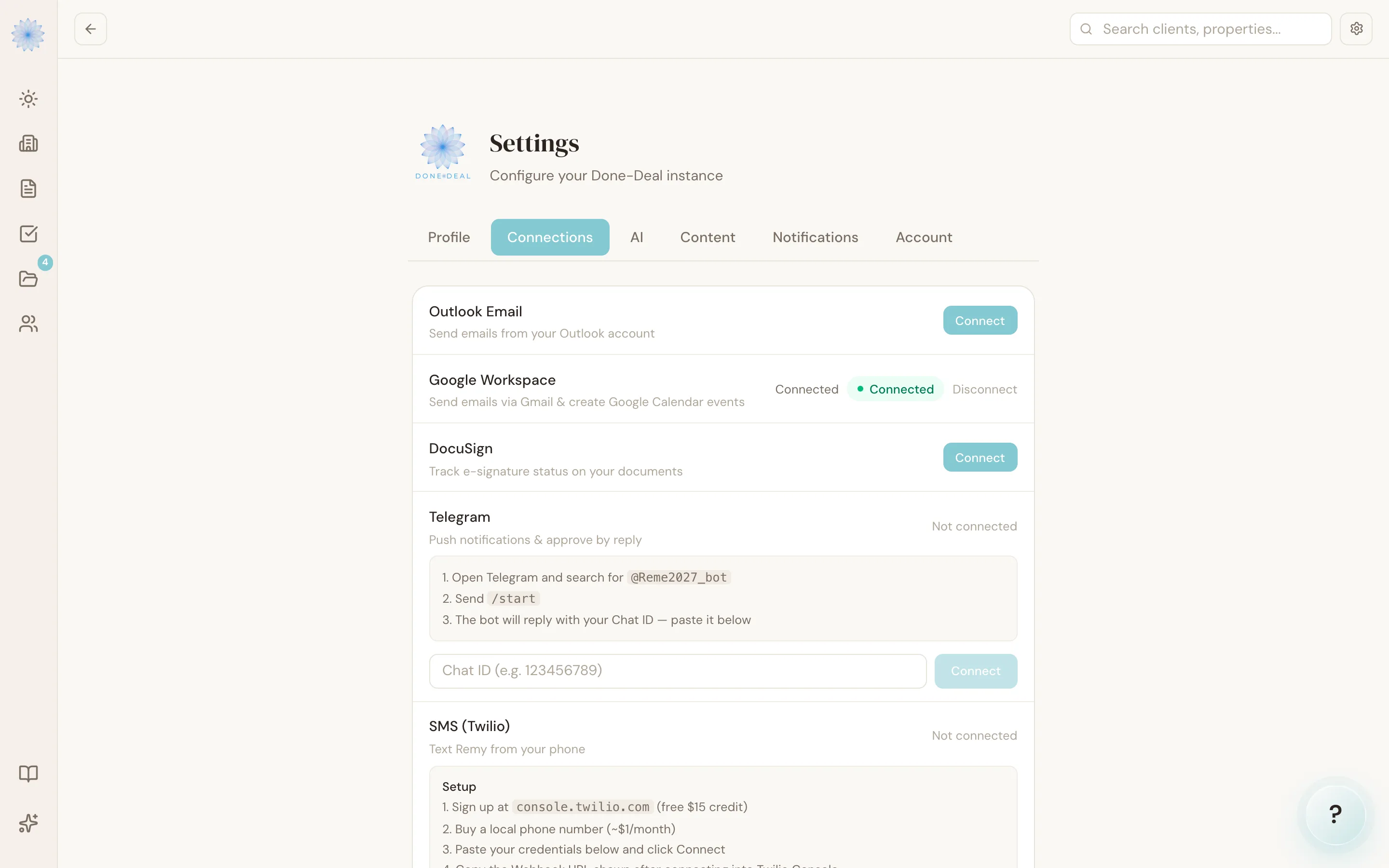
Connecting your account
- Go to Settings, then the Connections section.
- Find DocuSign and click Connect.
- Log in to DocuSign and approve access.
Once connected, you'll see a green Connected badge. You can disconnect at any time from the same screen.
Sending a document through DocuSign
On a transaction's Document Checklist, any document with status Uploaded shows a Sign button. If you haven't connected DocuSign yet, that button is grayed out with a tooltip telling you to connect DocuSign in Settings first.
- Find the uploaded document in the checklist.
- Click Sign, then Confirm.
Done-Deal sends the document through your DocuSign account to the transaction's buyer and seller parties who have an email address on file. The document's status changes to Sent.
A few things have to be true before this works:
- The document's status must be Uploaded (not already sent or signed).
- The file must be under 25 MB.
- The transaction needs at least one buyer or seller with an email address saved as a party.
Status coming back automatically
Once a document is out for signature through DocuSign, Done-Deal listens for updates directly from DocuSign — you don't need to check DocuSign itself. As recipients act on the envelope, the document's status in the Document Checklist updates automatically (for example, to Signed, Declined, or Voided) to match what's happening in DocuSign.
FAQ
Can I send a Done-Deal contract (like a CBS1) through DocuSign?
Not from the app today. DocuSign is currently wired up for documents you've uploaded to a transaction's Document Checklist. To send a CBS1 or another Done-Deal form for signature, use the built-in flow in Sending a contract for signature.
Do I need a paid DocuSign account?
Done-Deal connects to whatever DocuSign account you authorize — check with DocuSign about which of their plans support the API access this integration uses.
What if my DocuSign connection expires?
If your DocuSign session needs to be refreshed and can't be, you'll see an error asking you to reconnect DocuSign in Settings. Reconnecting takes the same steps as the initial connection.
Who can see the DocuSign envelope status?
Only the agent whose DocuSign account sent the document. Envelope status updates flow back into that document's record on the transaction.
Still stuck?
Email support@done-deal.co and a real person will get back to you — usually the same business day.