
Lead source reports: what's actually working
The Reports page answers one question: which lead sources actually turn into clients? Every lead carries its source — Zillow, Realtor.com, Homes.com, phone call, referral, import, manual — so the answer comes from your own data, not a hunch.
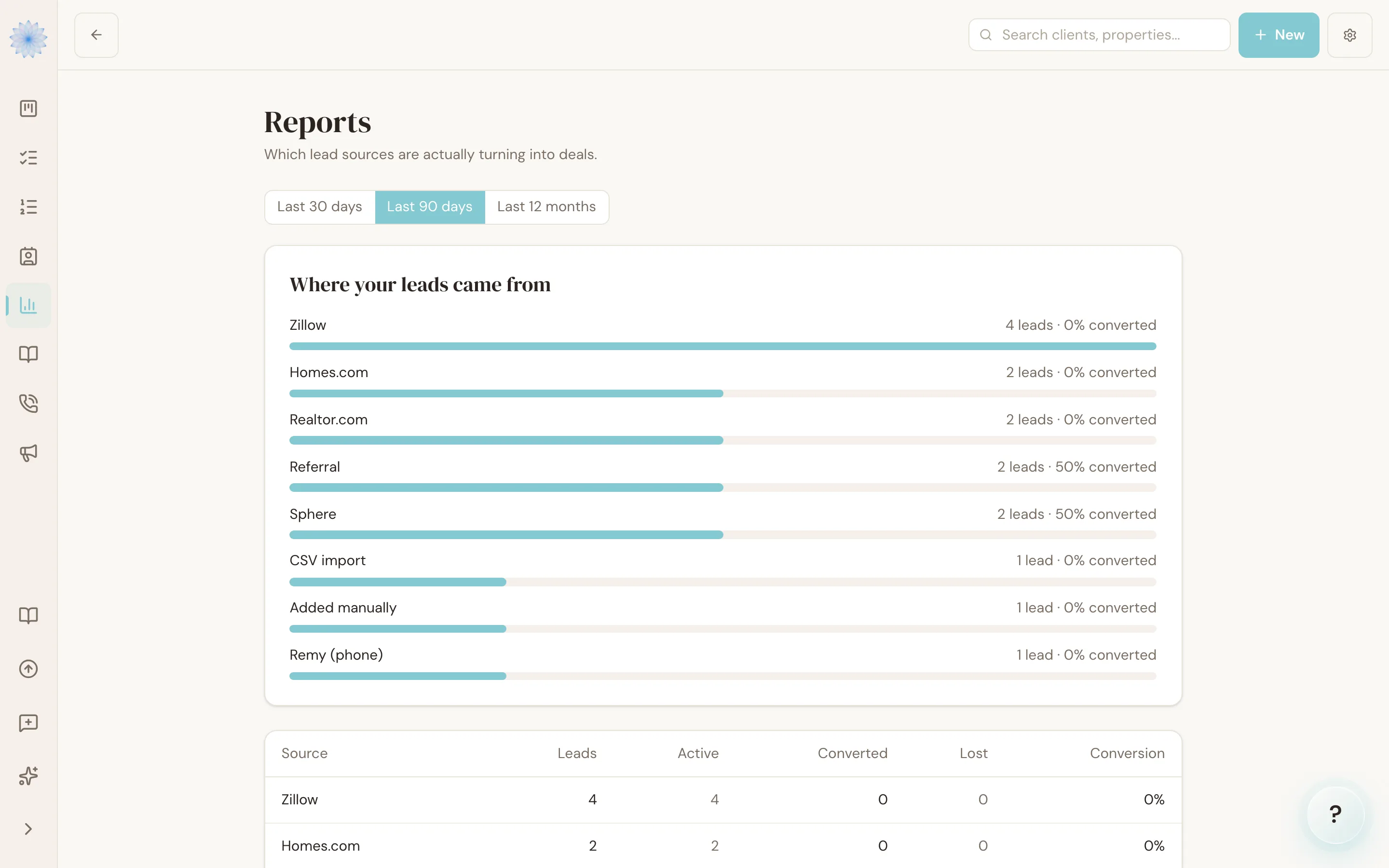
Reading the source report
Open Reports in the CRM menu. For each source you'll see how many leads it produced and how they've progressed — how many are still working, and how many converted into transactions. A source that produces a pile of leads and no conversions reads very differently from one that produces three leads and two clients.
Using it
- Before renewing a portal subscription, check what that portal actually converted this year.
- When a source's conversion is strong, that's the one worth more of your time and budget — the report turns "I feel like Zillow works" into a number.
Note: Reports cover leads captured in Done-Deal. The first weeks after you start (or after a CSV import) are a warm-up period — judgments get reliable as real inquiry-to-close cycles complete.
FAQ
A lead came from a portal but shows as manual — why?
Its source is set by how it entered Done-Deal. If you typed it in yourself, it's manual even if the person originally found you on a portal. You can correct the source on the lead's page.
Do archived leads count?
Archived leads still count toward the source that produced them — archiving records the outcome; it doesn't erase the history.
Related articles
Still stuck?
Email support@done-deal.co and a real person will get back to you — usually the same business day.