
Working your lead pipeline
The Pipeline is a board of every active lead, organized by stage. Work it left to right: new leads arrive in the first column and move toward conversion as the relationship progresses.
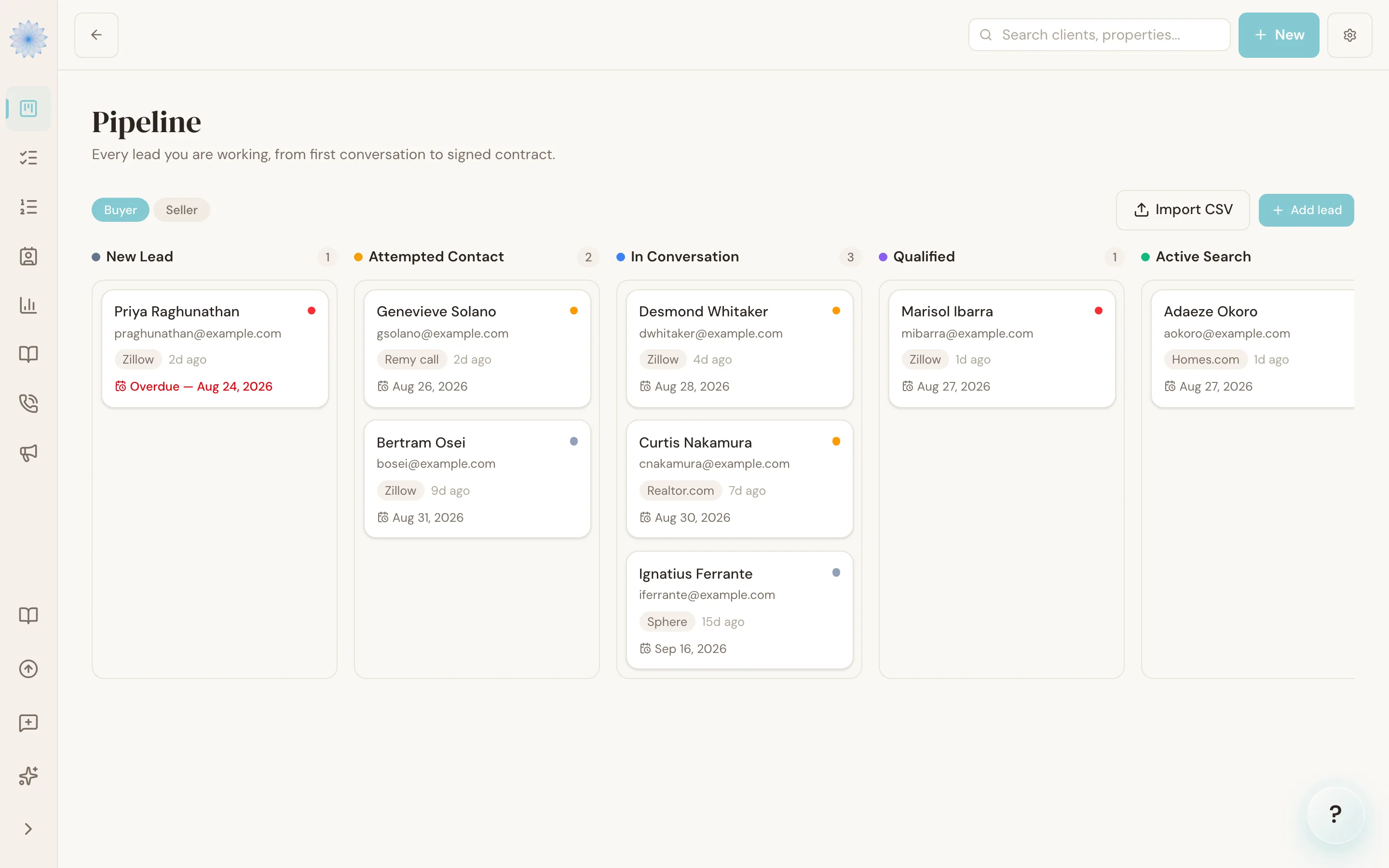
Buyers and sellers are separate pipelines
Switch between the Buyer and Seller pipelines at the top of the board. Each has its own stages, because a buyer inquiry and a listing prospect move through different conversations. A lead lives in exactly one pipeline.
Moving a lead
Drag a lead's card to a new stage as things progress — the move saves instantly and is recorded on the lead's timeline. You can also change the stage from the lead's page.
Done-Deal will sometimes suggest a stage move after a call or a repeat inquiry. Suggestions appear as a banner on the lead and never move anything without your approval.
Temperature and next actions
- Temperature — hot, warm, or cold. Your read on how ready this person is. Smart Lists and the board both use it.
- Next action — the one thing you'll do next for this lead, with a date.
Tip: A lead with no next action is a lead you've silently dropped. The "Overdue actions" Smart List catches the ones whose date has passed — keep it empty and nothing slips.
FAQ
Can I customize the stages?
Stages come with sensible defaults for buyer and seller pipelines. Your brokerage's configuration can adjust them; stage changes you make apply going forward and your existing leads keep their place.
What happens to a lead that goes nowhere?
Archive it from the lead's page. Archived leads leave the board and every Smart List, but nothing is destroyed — see Converting a lead for archiving and deletion.
Related articles
Still stuck?
Email support@done-deal.co and a real person will get back to you — usually the same business day.