
Using Smart Lists
A Smart List is a saved filter over your leads. The list is always current — a lead joins or leaves it the moment its facts change, so a list you work today is accurate again tomorrow without any upkeep.
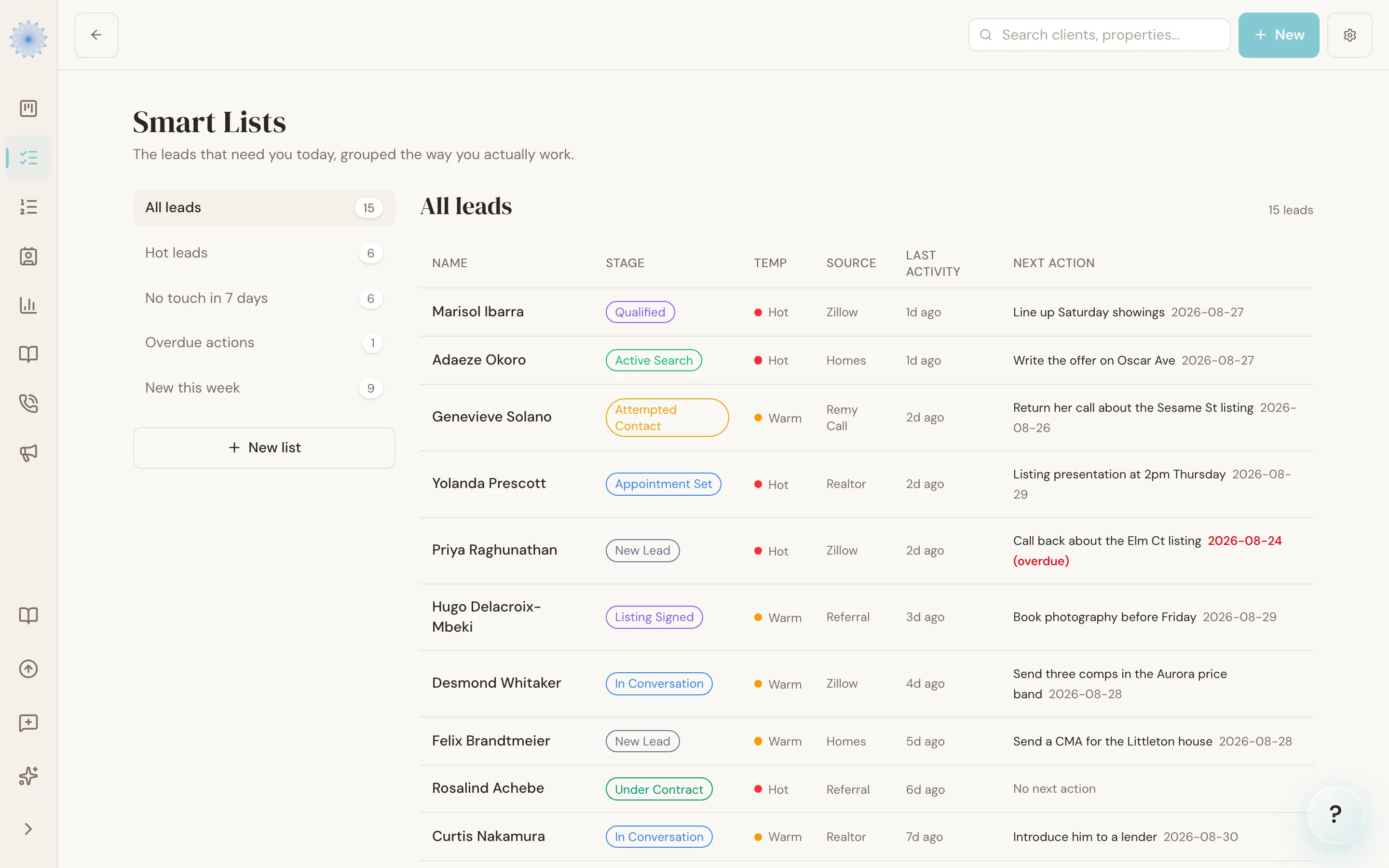
The built-in lists
- All leads — every active lead, across both pipelines.
- Hot leads — everyone you've marked hot.
- No touch in 7 days — leads with no activity in a week, including leads that have never been touched at all. Sorted oldest first, so the coldest are on top.
- Overdue actions — leads whose next-action date has passed. An action due today is not overdue yet.
- New this week — leads with activity in the last 7 days.
Custom lists
Click New Smart List to build your own. Filter by stage, pipeline (buyer or seller), temperature, lead source, recency of activity, and next-action status — in any combination. "Warm buyer leads from Zillow with no touch in 14 days" is one list, built once, current forever.
Archived leads
Lists show active leads only. Archived leads are excluded everywhere unless a custom list explicitly includes them.
Tip: Treat Smart Lists as a working queue, not a report. Open a list, work it top to bottom, and let it empty itself — a lead you follow up with today falls off "No touch in 7 days" automatically.
FAQ
Can a lead be on more than one list at once?
Yes. Lists are filters, not folders — a hot buyer lead you haven't touched in a week appears on both "Hot leads" and "No touch in 7 days".
Why is a lead I archived still not showing after I unarchived it?
Restored leads reappear on every list whose filters they match. If it still isn't showing, check the list's stage and pipeline filters against where the lead actually sits.
Related articles
Still stuck?
Email support@done-deal.co and a real person will get back to you — usually the same business day.