
The lead page: timeline, drafts, and suggestions
Click any card on the pipeline to open the lead. Everything Done-Deal knows about this person is on one page, newest first.
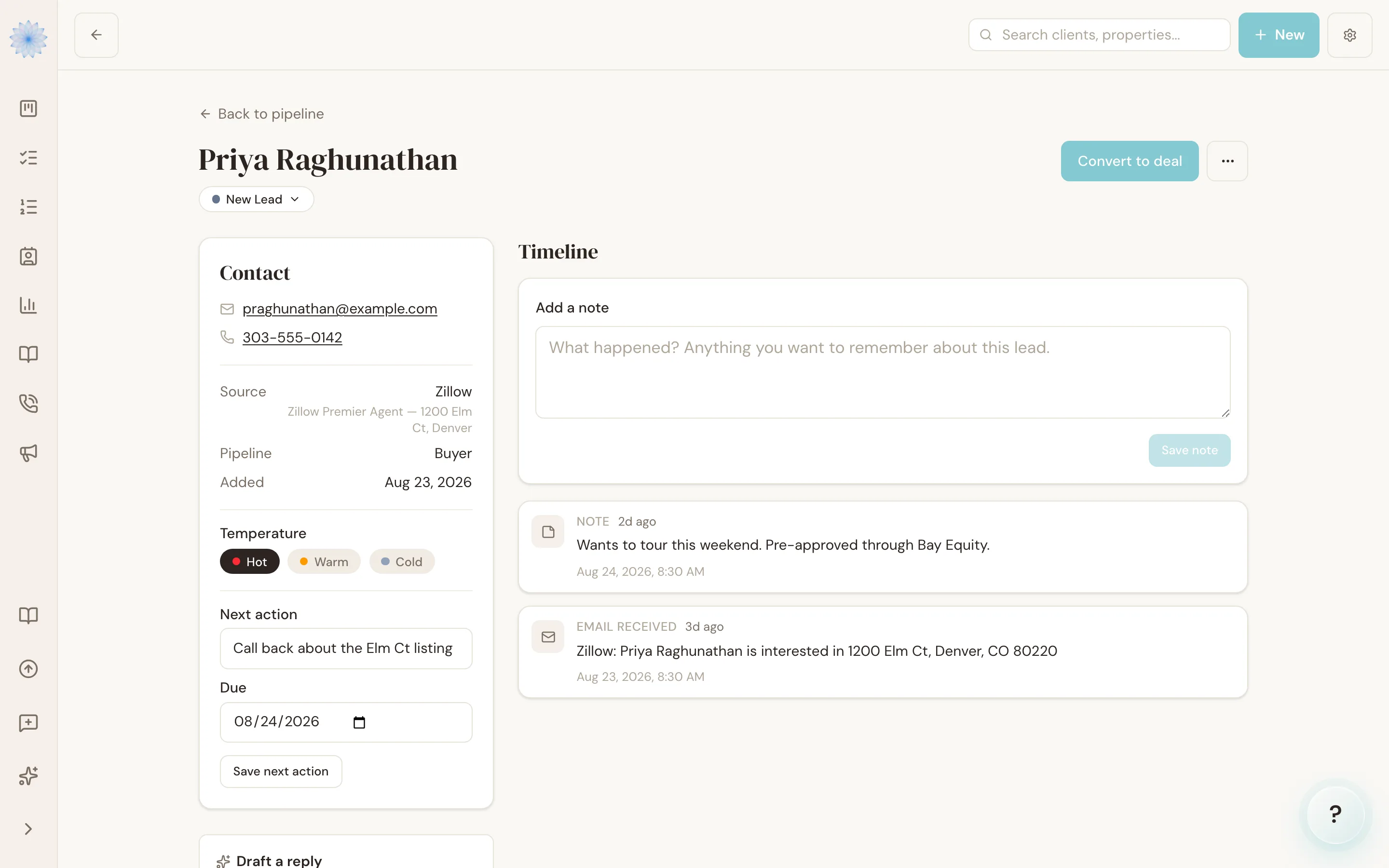
The timeline
The center of the page is a timeline of everything that's happened: portal inquiries (with the original email), calls Remy answered, notes you've added, stage moves, and Action Plan steps. When a lead has been quiet, the timeline tells you instantly where things left off.
The contact card
Name, phone, email, source, pipeline, temperature, and next action — all editable in place. This is also where you set the next-action date that drives the "Overdue actions" Smart List.
AI reply drafts
When a lead's latest inquiry deserves an answer, Done-Deal drafts one from what the lead actually wrote — the property, their questions, their timing. Review it, edit it, and send it from your own email. Drafts are suggestions; nothing is ever sent on your behalf.
Stage suggestions
After a meaningful event — a repeat inquiry, a call — Done-Deal may suggest moving the lead to a different stage, with its reasoning. Approve it and the lead moves; dismiss it and nothing changes. Suggestions never act on their own.
FAQ
Where do notes go?
Add them from the lead page; they land on the timeline with a timestamp, in order with everything else.
Why does one lead show several portal inquiries?
Repeat inquiries from the same person are kept on one lead on purpose — the timeline shows every property they've asked about, which is often the real buying signal.
Related articles
Still stuck?
Email support@done-deal.co and a real person will get back to you — usually the same business day.